Simple Linux Firewall configuration
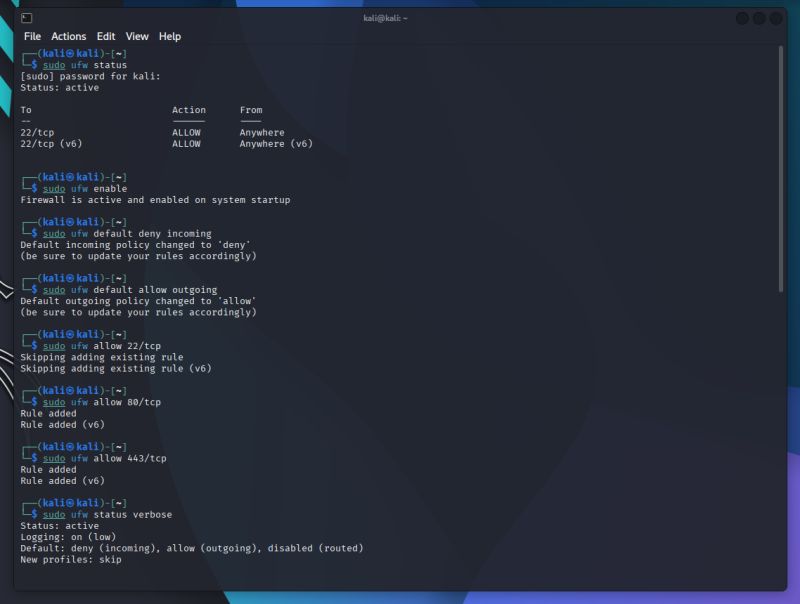
Hands-On Practice 001 ~ Linux Firewall (UFW)
I got a Linux server...so now i need secure it...how to do
• Step 1 ~ Check firewall status sudo ufw status
• Step 2 ~ Enable the firewall sudo ufw enable
• Step 3 ~ Block everything incoming by default sudo ufw default deny incoming
• Step 4 ~ Allow everything outgoing sudo ufw default allow outgoing
• Step 5 ~ Allow only SSH (so you can still connect remotely) sudo ufw allow 22/tcp
• Step 6 ~ Allow web traffic (HTTP & HTTPS) sudo ufw allow 80/tcp sudo ufw allow 443/tcp
• Step 7 ~ Check your rules sudo ufw status verbose
then what happen to my linux server • its now deny incoming [ like locked the door ] • Opened only 3 specific ports: 22 (SSH), 80 (HTTP), 443 (HTTPS)
Sign in to like and join the discussion.